
The Coach AMM Engagement Report has been updated to help coach users better manage their Care List and stay on top of what needs to happen next.
What Has Changed
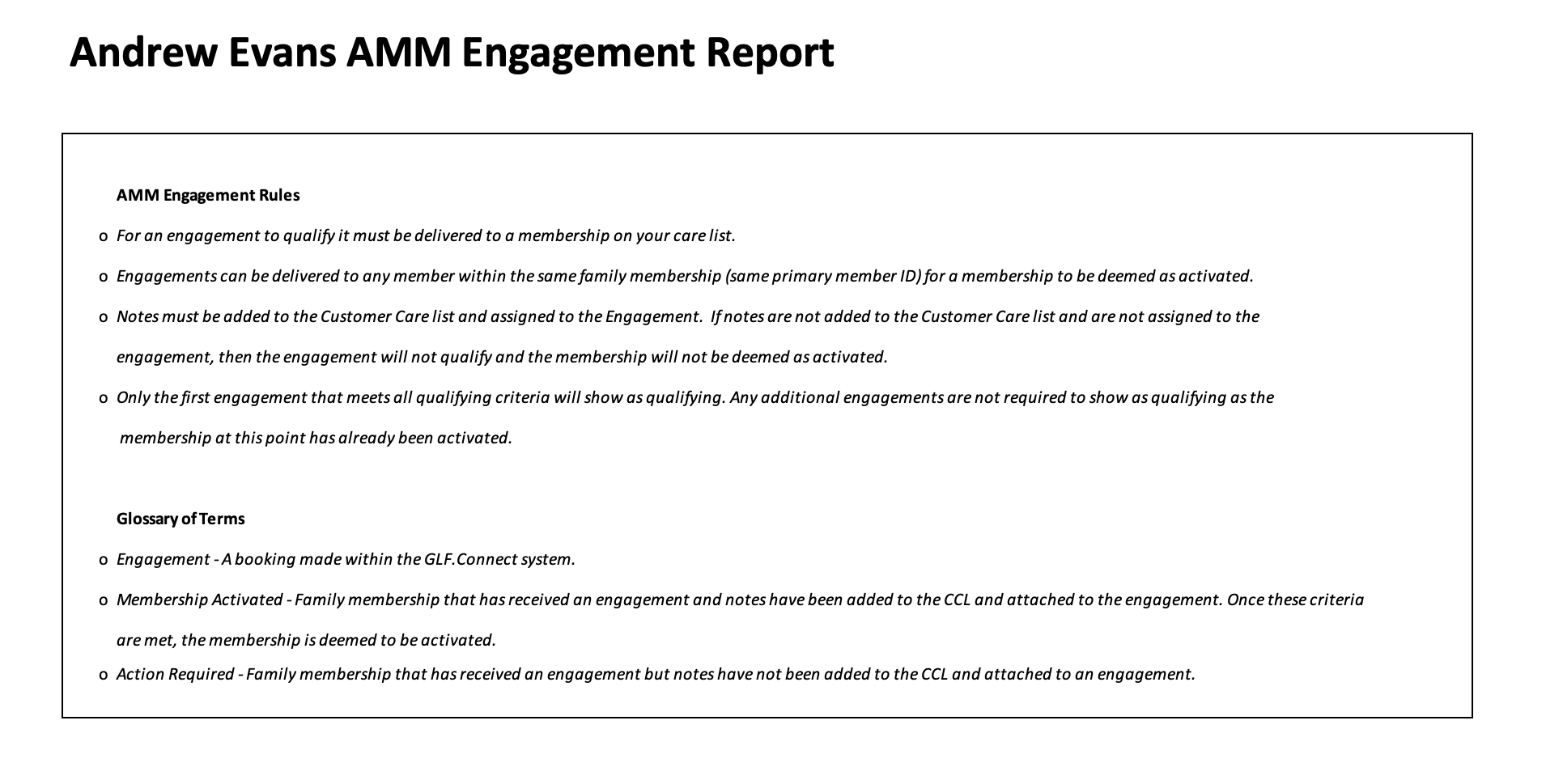
Clearer Definitions in the Glossary
The AMM Engagement Rules tab now includes updated definitions that better reflect how the report works. Two terms have replaced the previous Qualifying Engagement and Activated definitions:
- Membership Activated: a family membership where an engagement has taken place, notes have been added to the Customer Care List, and those notes have been attached to the engagement. When all three steps are complete, the membership is considered activated.
- Action Required: a family membership where an engagement has taken place, but notes have not yet been added and attached. The membership is engaged but not yet activated.
Keeping this distinction in mind will help you understand the figures throughout the report and know exactly what step is needed to move a membership from 'Action Required' to 'Activated'.
Engagement Summary — New Column and Play-9 Table
Your Engagement Summary tab now shows an additional column: # of Memberships with Actions Required. This tells you how many memberships on your Care List have received an engagement but are not yet activated. Reducing this number — by attaching notes to engagements — is the key action to focus on.

A new table has also been added below the monthly activation breakdown, showing your qualifying Play-9 engagements by month. This lets you track your Play-9 delivery progress throughout the year in the same view as your other engagement data.

Reporting Period — Starting from March 2026
The report now starts from 1 March 2026. Engagements from January and February will no longer appear in any tab. This keeps the report focused on the current programme year and ensures the figures you see are relevant to your current targets.
New Action Required Tab
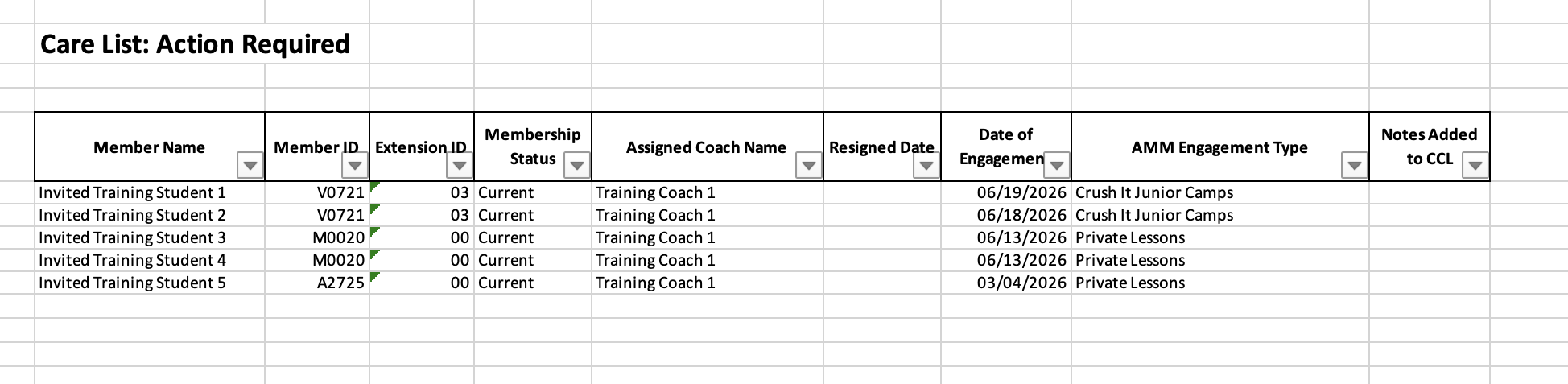
A new tab called Action Required has been added to your report. This is one of the most useful additions for your day-to-day work.
This tab shows every engagement you have recorded where the membership is not yet activated because notes have not been added to the Customer Care List and attached to an engagement. If a membership has had several engagements but no notes attached, all of those engagements will appear here.
As soon as you add a note to any one of those engagements, all engagements for that membership are removed from the Action Required tab and the membership becomes activated. The tab is designed to give you a clear, prioritised list of the memberships where one straightforward action — attaching a note — will complete the activation.
New Play-9 Tab
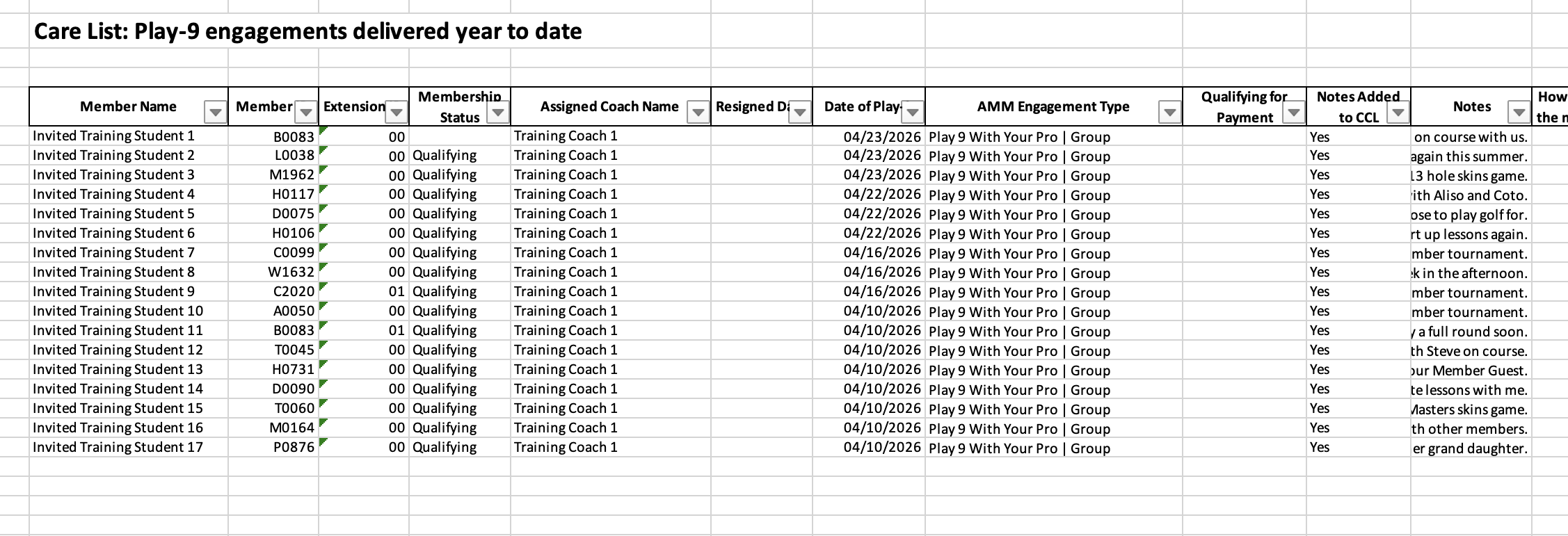
A dedicated Play-9 tab has been added to your report. This lists all Play-9 engagements you have delivered and includes a Qualifying for Payment column that shows whether each one qualifies. The total qualifying Play-9s shown in this tab matches the figures in the Play-9 table on your Engagement Summary tab:
Qualifying Engagement Column Removed
The Qualifying Engagement column has been removed from the Last 7 Days and All Engagements tabs. The clearer Membership Activated and Action Required model now provides this information in a more useful way.
Filters on Question Columns
Dropdown filters are now available on the dynamic question columns across all tabs, including Last 7 Days, All Engagements, Action Required, and Play-9. You can use these to filter records by a member's response to any of the engagement questions — useful when reviewing follow-up priorities.