
A set of updates have been made to the Club AMM Engagement Report. These changes are designed to give users with managerial responsibilities over care groups and managing AMM at their club a clearer, more complete picture of engagement progress across the coaching teams. The updates will also make it easier to identify where action is needed.
What Has Changed
Clearer Terminology
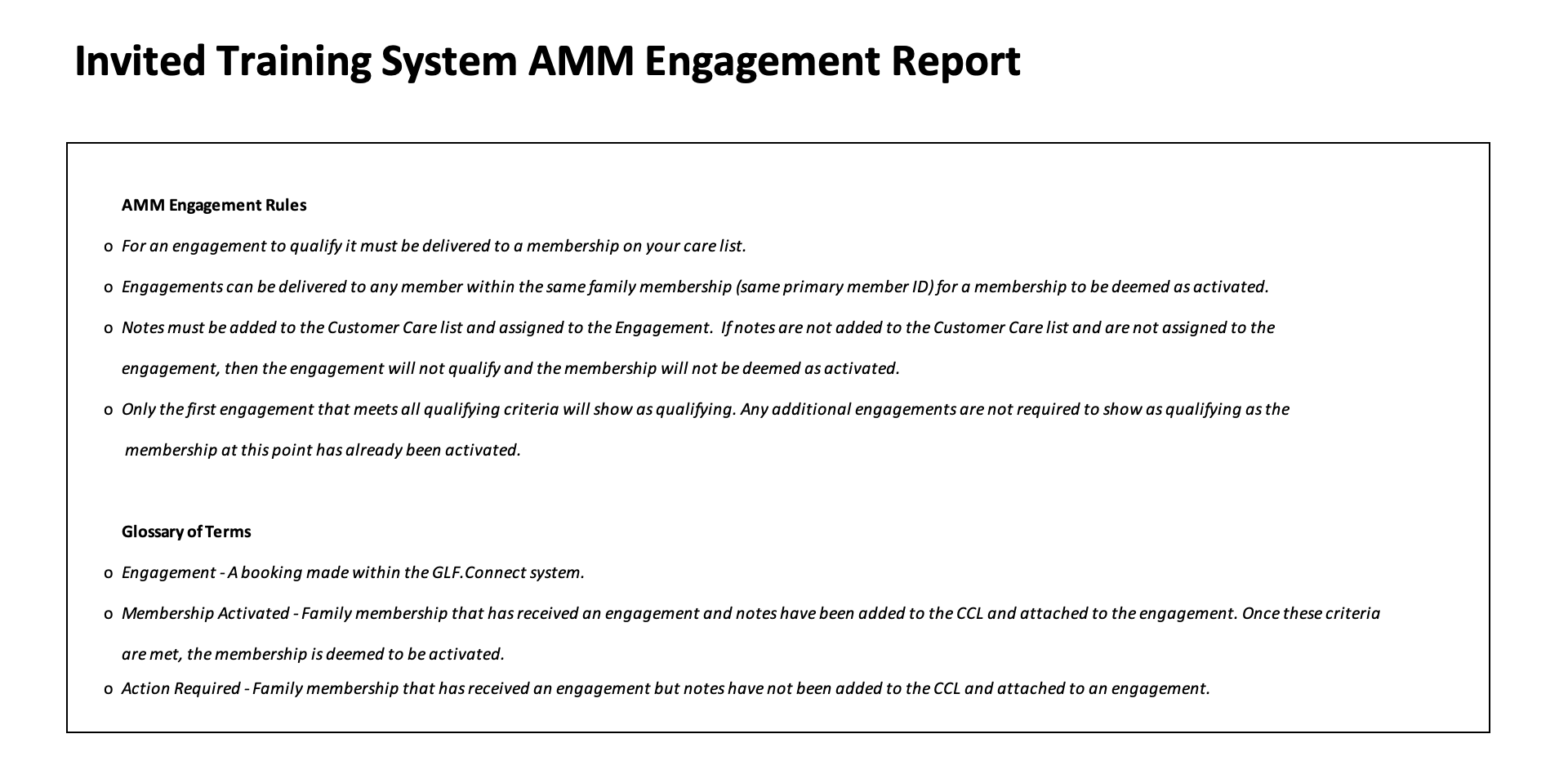
The Glossary of Terms on the AMM Engagement Rules tab has been updated to reflect terminology that more accurately describes how membership activation works. Two previous definitions — Qualifying Engagement and Activated — have been replaced with the following:
- Membership Activated: a family membership that has received an engagement, with notes added to the Customer Care List and attached to that engagement. Once both criteria are met, the membership is considered activated.
- Action Required: a family membership that has received an engagement but where notes have not yet been added to the Customer Care List and attached to an engagement. These memberships are engaged but not yet activated.
This distinction is central to several new features in the report and gives you a more precise view of where things stand for each membership:
Engagement Summary — New Columns and a New Table
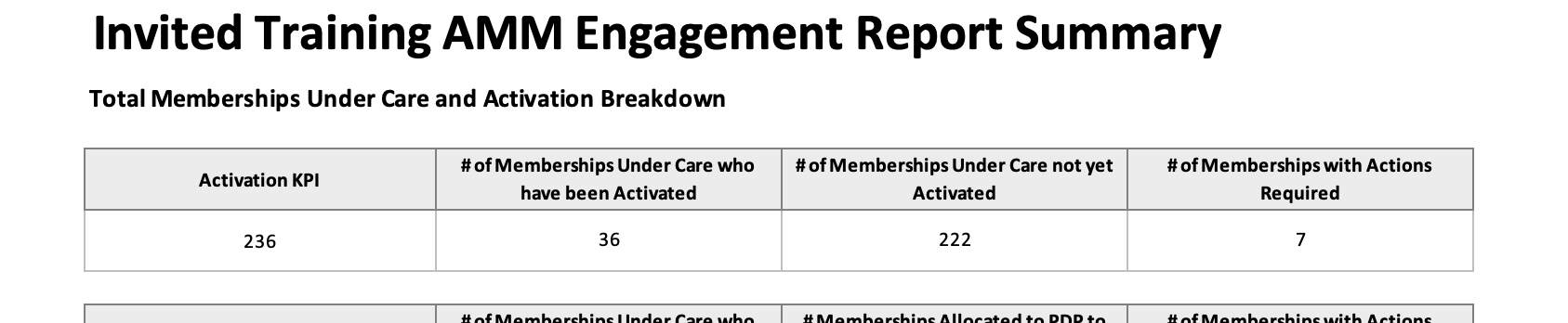
The Engagement Summary tab has been expanded to give you more at-a-glance information about progress across your club. In the activation breakdown table at the top of the tab:
- The first column now shows your club's Activation KPI — a hardcoded target giving you a reference point for how many memberships you are aiming to activate this year.
- A new column, # of Memberships with Actions Required, shows how many memberships on your care lists have been engaged but are not yet activated, because notes have not been attached to an engagement. This figure updates dynamically and gives you a clear prompt for follow-up.
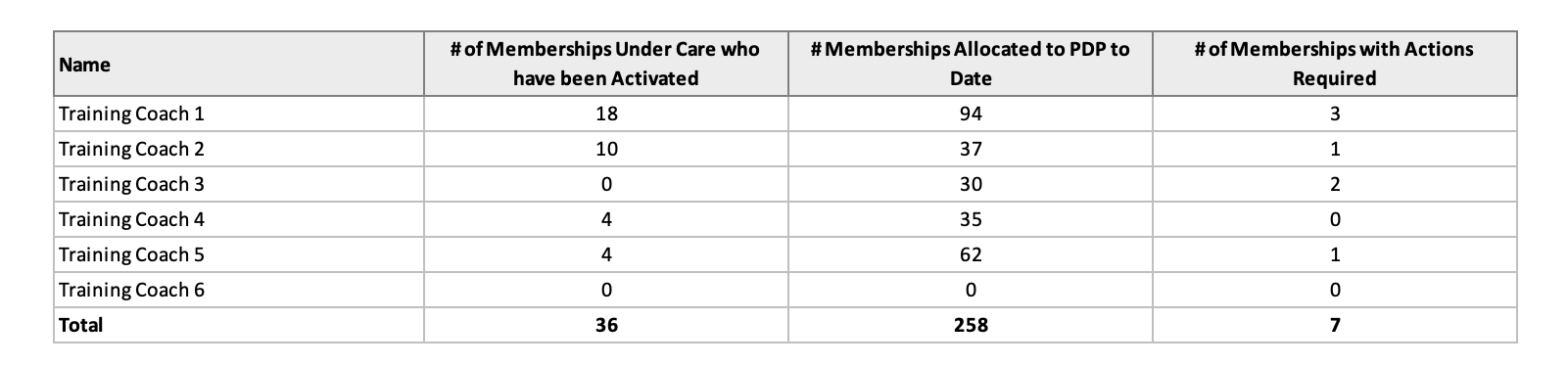
In the coach breakdown table:
- The same Actions Required column now appears for each individual coach, so you can see at a glance which coaches have memberships that need attention.
- A Total row has been added at the bottom of the coach breakdown table, giving you a sum across all coaches for each column.
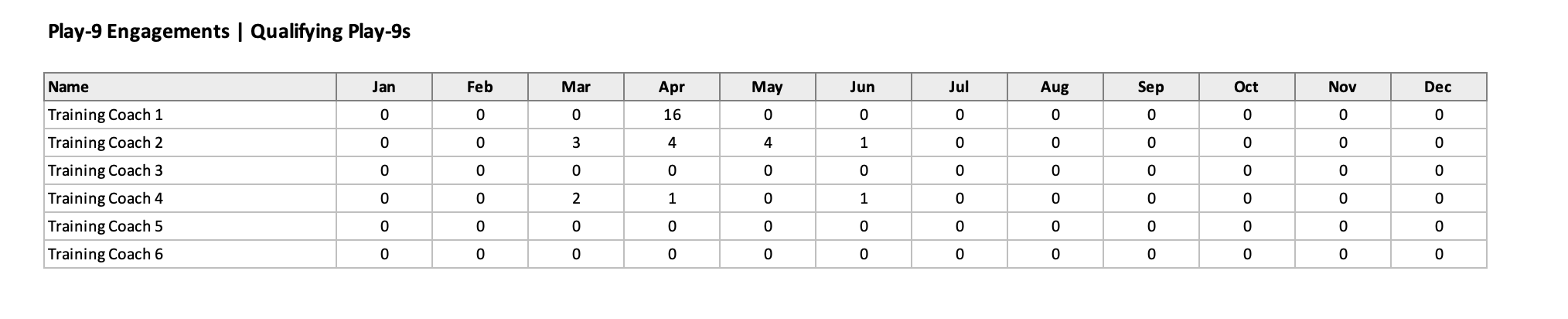
A fourth table has also been added to the Engagement Summary tab, showing qualifying Play-9 engagements delivered by each coach, broken down by month. This allows you to track Play-9 delivery across your team alongside your standard engagement data:
Reporting Period — Starting from March 2026
The report now begins from 1 March 2026. Engagements from January and February will not appear in any tab, ensuring the data you see is focused on the current programme year. This applies across all tabs in the report.
New Action Required Tab
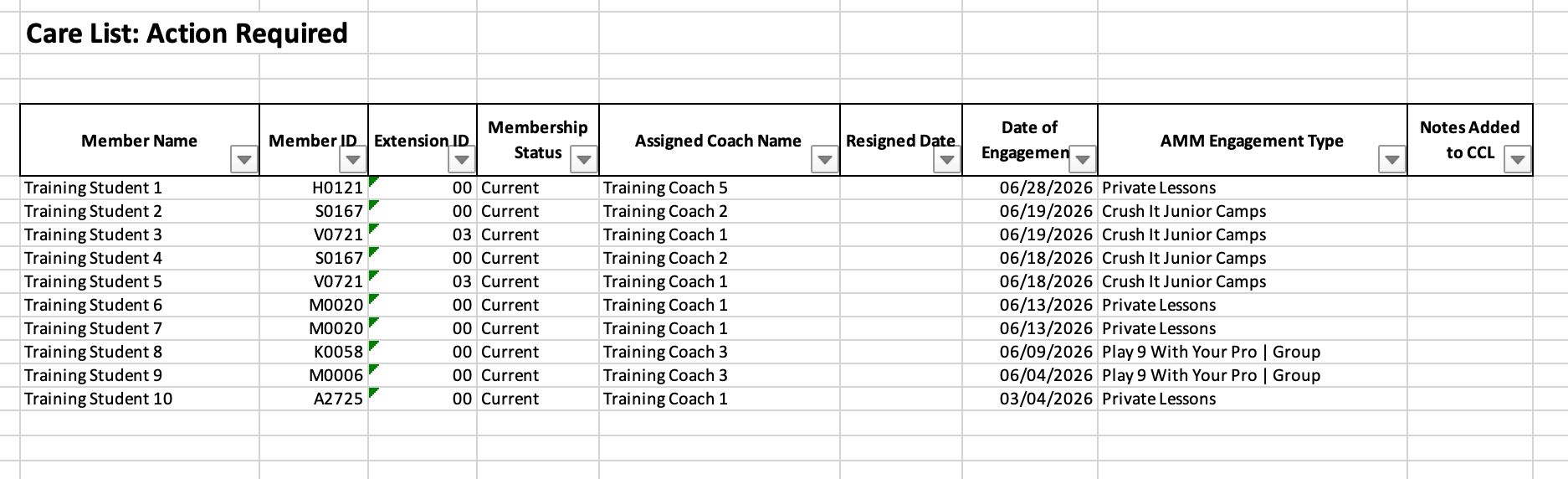
A new tab called Action Required has been added to the report. This tab lists every engagement where a membership has been engaged but has not yet been activated, because notes have not yet been added to the Customer Care List and attached to an engagement.
This is intended to be a practical prompt for your coaching team. Engagements will only appear here if the membership has not yet been activated. As soon as a note is added to an engagement, the membership moves out of the Action Required view and into an activated state. For your purposes as a manager, this tab gives you a single view of all outstanding actions across the club.
New Play-9 Tab
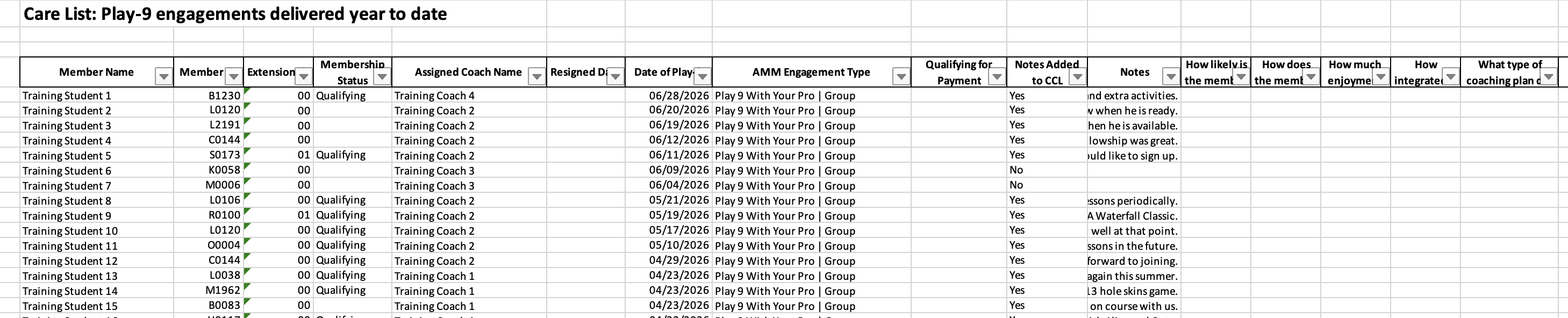
A new Play-9 tab has been added, listing all Play-9 engagements delivered across your coaching team. The tab includes a Qualifying for Payment column indicating whether each Play-9 qualifies for pay-out. The total qualifying Play-9s shown here corresponds to the figures in the Play-9 table on the Engagement Summary tab, so you can cross-reference easily.
Qualifying Engagement Column Removed
The Qualifying Engagement column has been removed from both the Last 7 Days and All Engagements tabs. The activation model is now reflected through the Membership Activated and Action Required statuses, which provide a clearer picture of where each membership stands.
Filters on Question Columns
Dropdown filters are now available on the dynamic question columns across all tabs, including Last 7 Days, All Engagements, Action Required, and Play-9. This makes it easier to sort or narrow down records based on a member's responses.