
Owners now have more control over which Managers can deactivate coach users. A new user right called Deactivate Users has been added to the Enable Features modal on the Owner Space User Management screen. Managers can only deactivate coach users from the Coach Management when this right has been enabled for them.
What's new
- New Manager user right – A new Deactivate Users right has been added to the Enable Features modal on the Owner Space User Management screen. As with the other features in this modal, it is available for Manager users only.
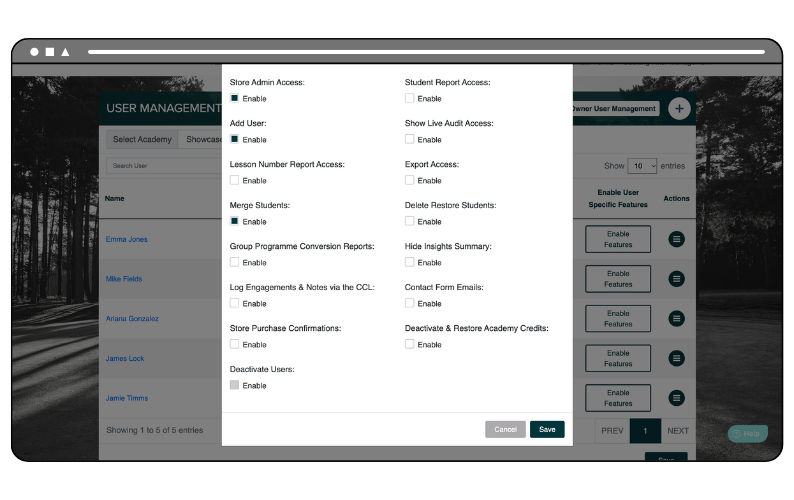
- Enabled – When the right is enabled for a Manager, they can deactivate coach users from the Coach Management screen.
- Disabled – When the right is disabled, the Deactivate option is still visible in the Action Menu on the Coach Management screen but it is greyed out and locked. Hovering over it displays the message “You do not have the rights to access this feature”.
- New users – The right will also be disabled by default for any new users created after the update.
Important: Invited customers
If you use an Invited GLF. Connect system, you must continue to use the GLF. Connect Profile Deactivation Form, which is available on the home page of the Training Hub, to request that a profile is deactivated.