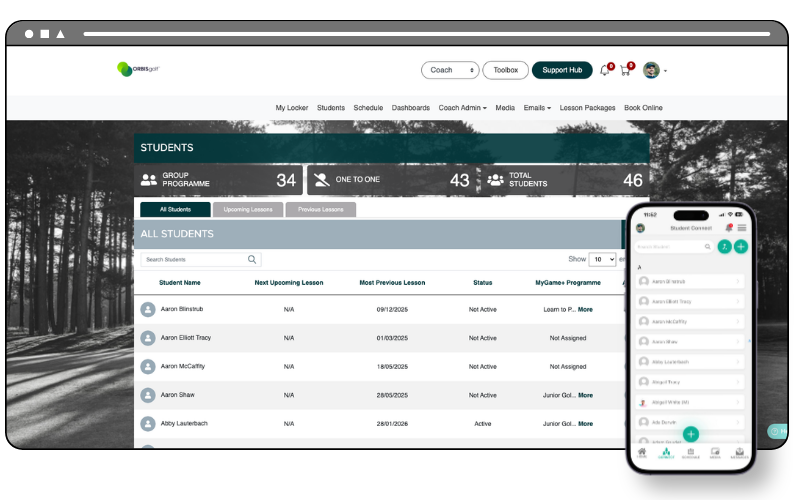
We've introduced a new Academy Setting that gives owners greater control over the student database that visible to coach users. Using the new Coach Database Visibility setting, you can now choose whether coaches can only see students with lessons or classes scheduled with them, or the full student database across your academy.
Owner Space Setting
The new Coach Database Visibility option can be found in the Academy Settings tab on the Academy Settings screen, accessible via the Owner Space: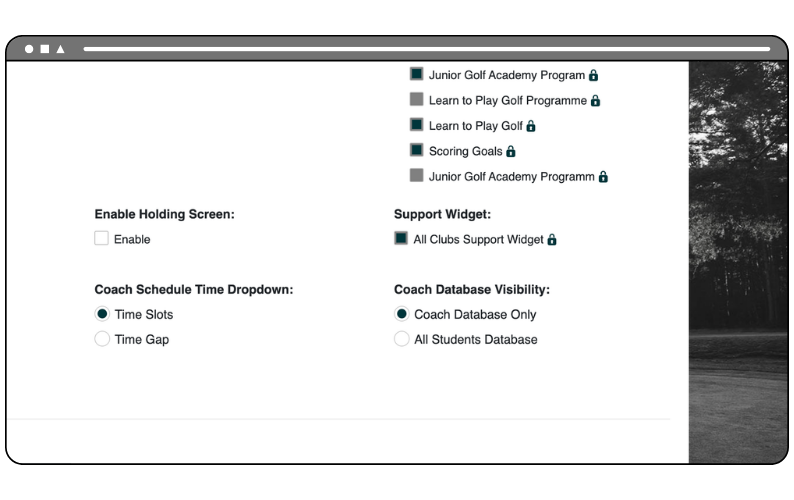
Coach Database Only
This option reflects the current behaviour of the GLF Connect platform. When selected, coach users will only be able to view students who have had a past or future lesson or class booking with them. This applies to both the Student screen on the web and the Student Connect Search on the mobile app.
All Students Database
When this option is selected, coach users will have visibility of the entire student database for your academy. This applies to both the Student screen on the web and the Student Connect Search on the mobile app, making it easier for coaches to find and connect with any student at the academy.